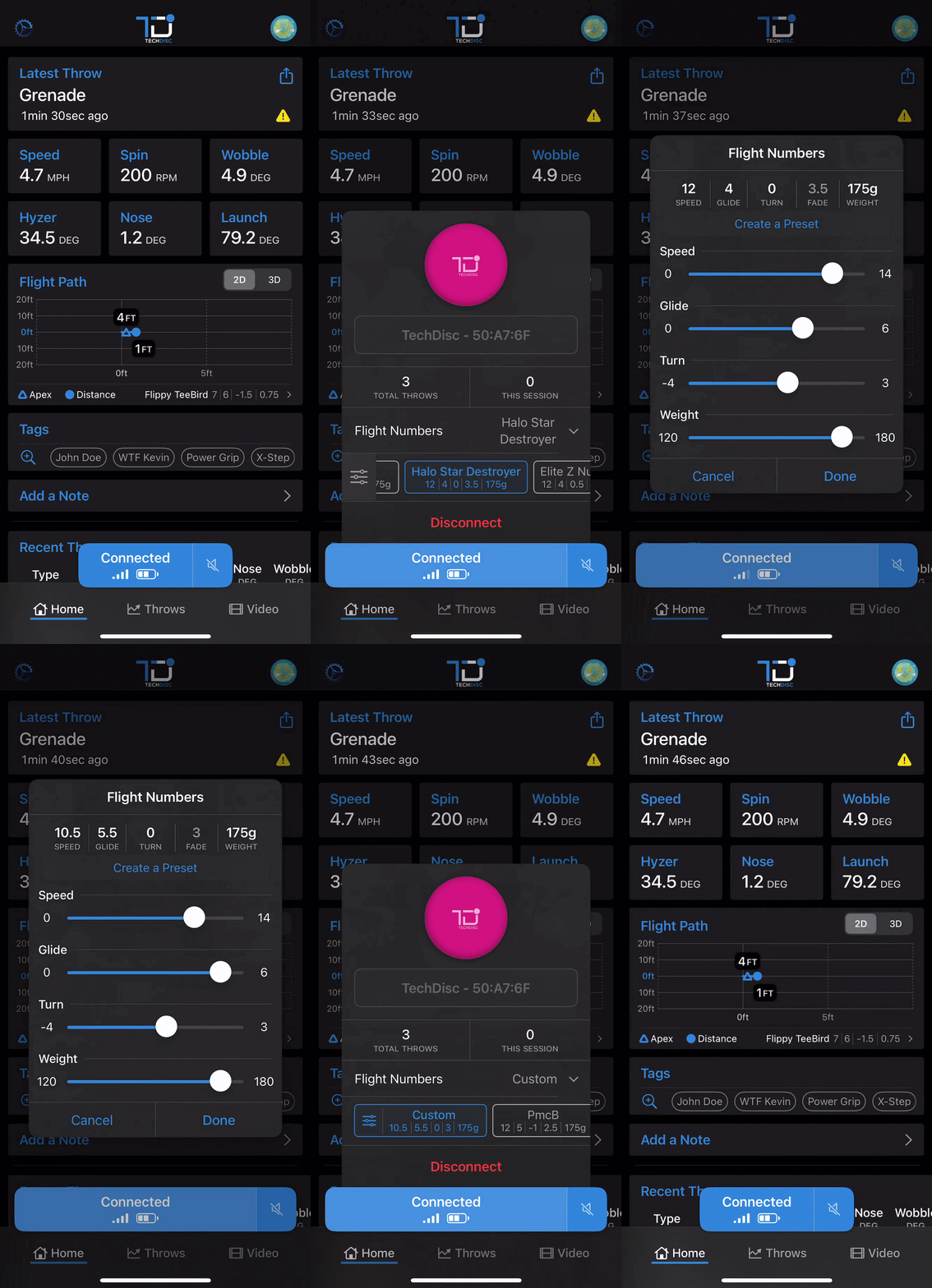
 iOS TechDisc App
- Open the TechDisc iOS app and ensure your TechDisc is connected.
- Tap the "Connected" button to open the disc menu.
- Tap "Flight Numbers" to expand the preset flight numbers.
- Scroll to the left and tap the icon to change the simulated flight numbers.
- Use the slider to select your desired Speed, Glide, Turn, and Weight.
- Select "Create a New Preset" and enter a name to save preset or "Done" to simulate new selected numbers without saving.
Was this article helpful?
That’s Great!
Thank you for your feedback
Sorry! We couldn't be helpful
Thank you for your feedback
Feedback sent
We appreciate your effort and will try to fix the article