Guest Login is a feature built for businesses on our Commercial Premium Tier. This feature allows for guests of businesses with simulators to come in, experience all the benefits of a Premium account, and have all those throws transfer to their own personal TechDisc account.
- To begin, go to techdisc.com and click on the store's account icon. Click Guest Login from the dropdown menu.
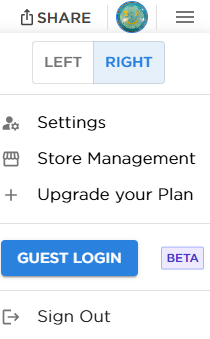
- This will generate a unique code for the guest to use. Input the generated code into the guest's app to connect.

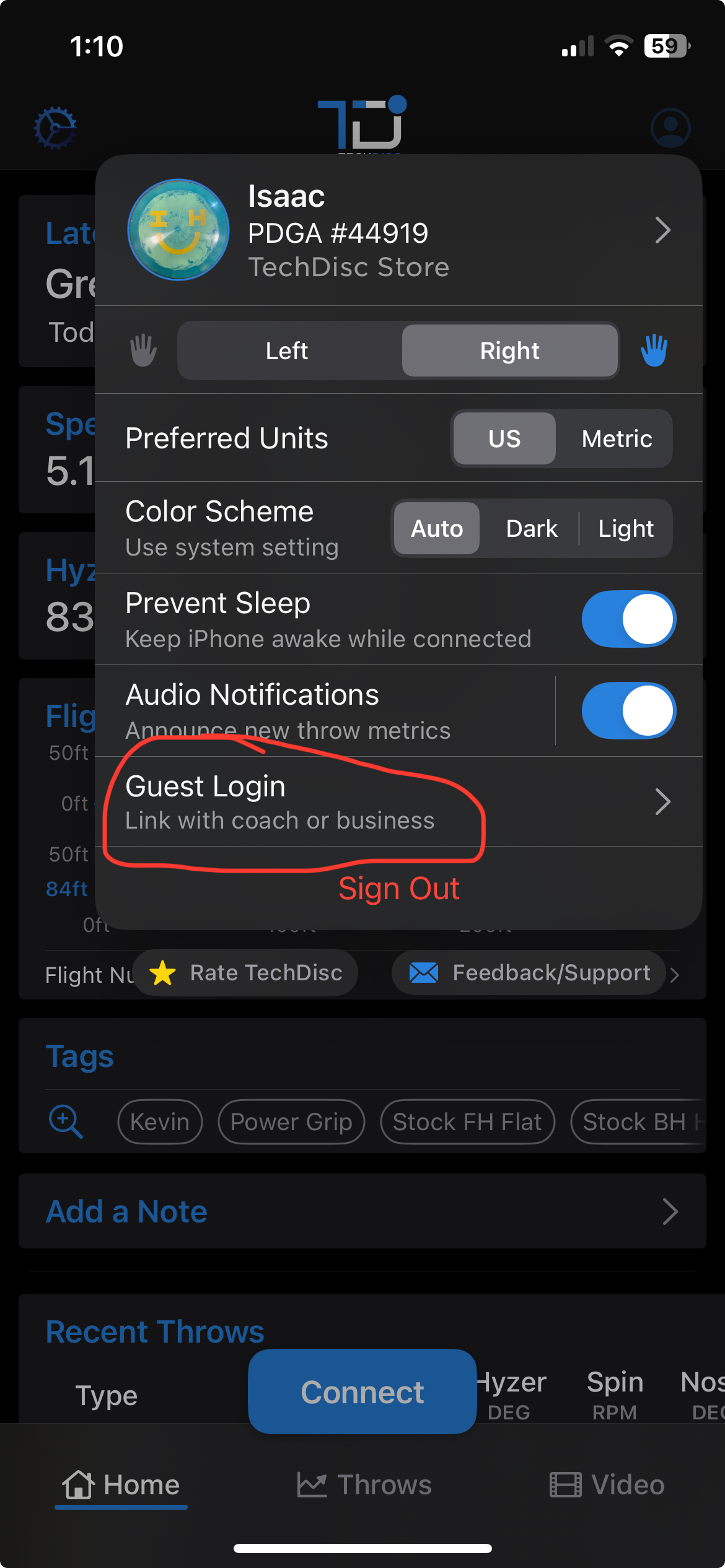
- In the app, the guest will select their account settings dropdown and select Guest Login.
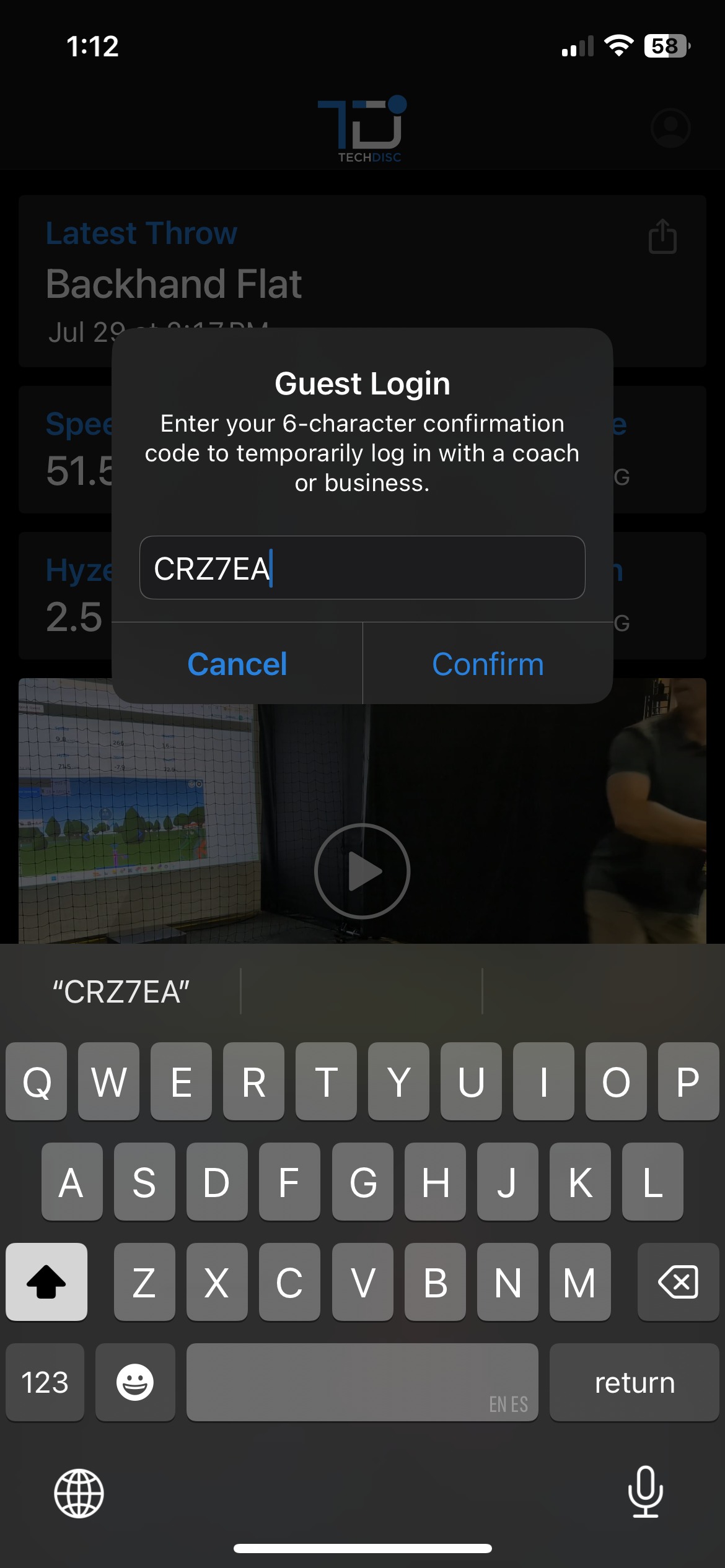
- From there, they will input the session generated code into the box and tap Confirm.
- In the app, the guest will select their account settings dropdown and select Guest Login.
- Once connected, use the Extend (+5M) to allot the proper amount of time for the thrower.

The guest now has access to all features on your Premium Store Account while receiving throws to their TechDisc account. Pro Tip: Use an automatic video capture device so that your guest will have access to video feedback of each throw
Was this article helpful?
That’s Great!
Thank you for your feedback
Sorry! We couldn't be helpful
Thank you for your feedback
Feedback sent
We appreciate your effort and will try to fix the article