To reset your password for your TechDisc account, start to log in to the web or mobile apps. When it asks for your password follow the prompts for "Trouble Signing In" or "Forgot Password?"
Screenshots for the web app are provided below.
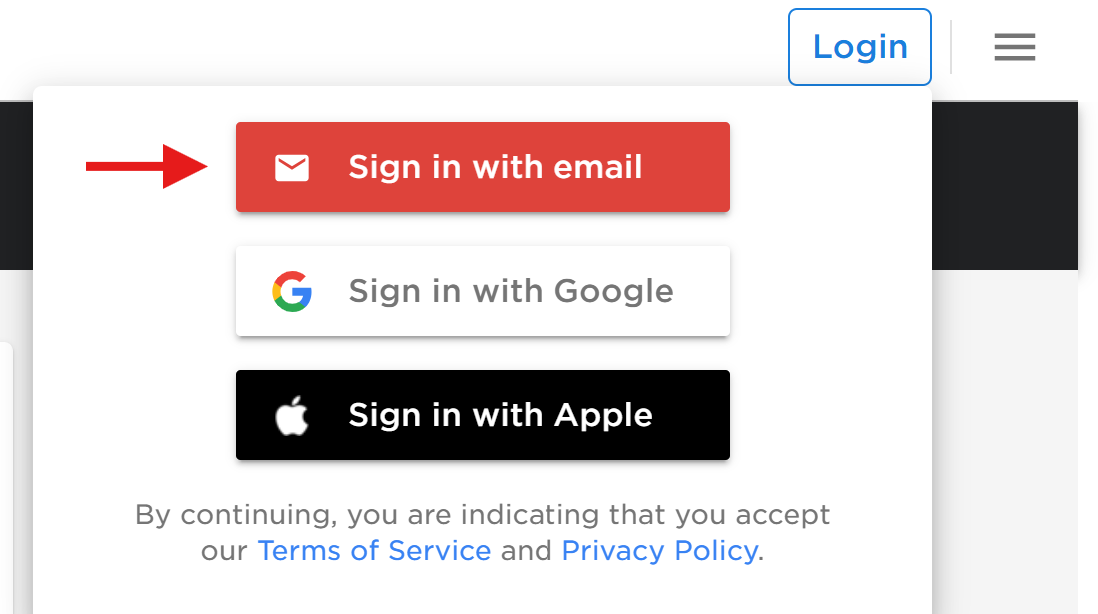
1. Visit www.TechDisc.com and tap Log In, then Sign in with Email
2. Enter your email address and click Next.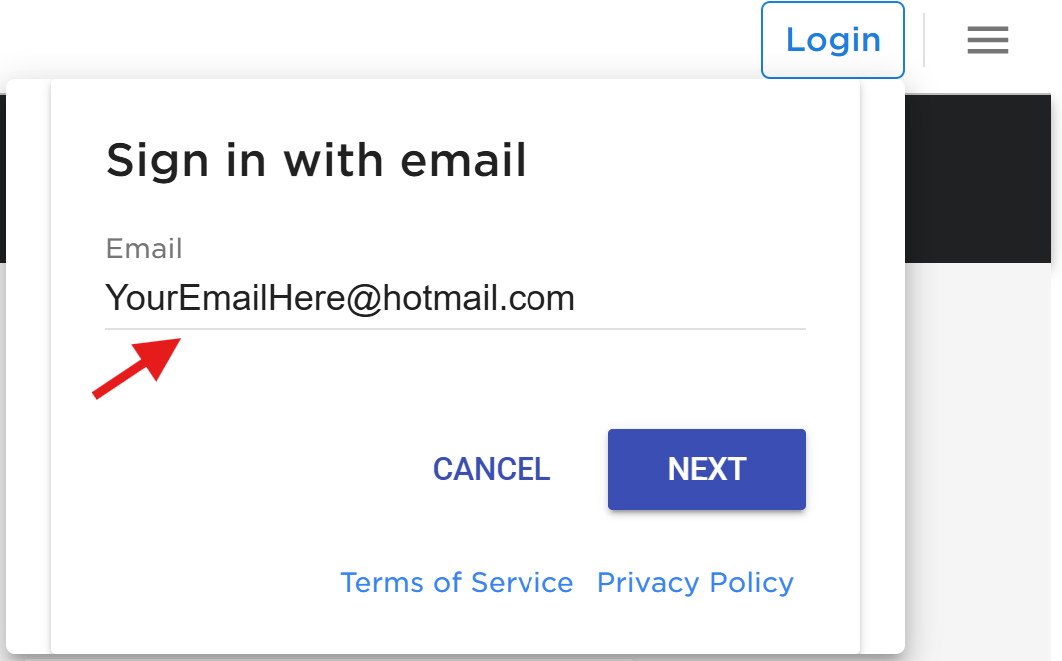
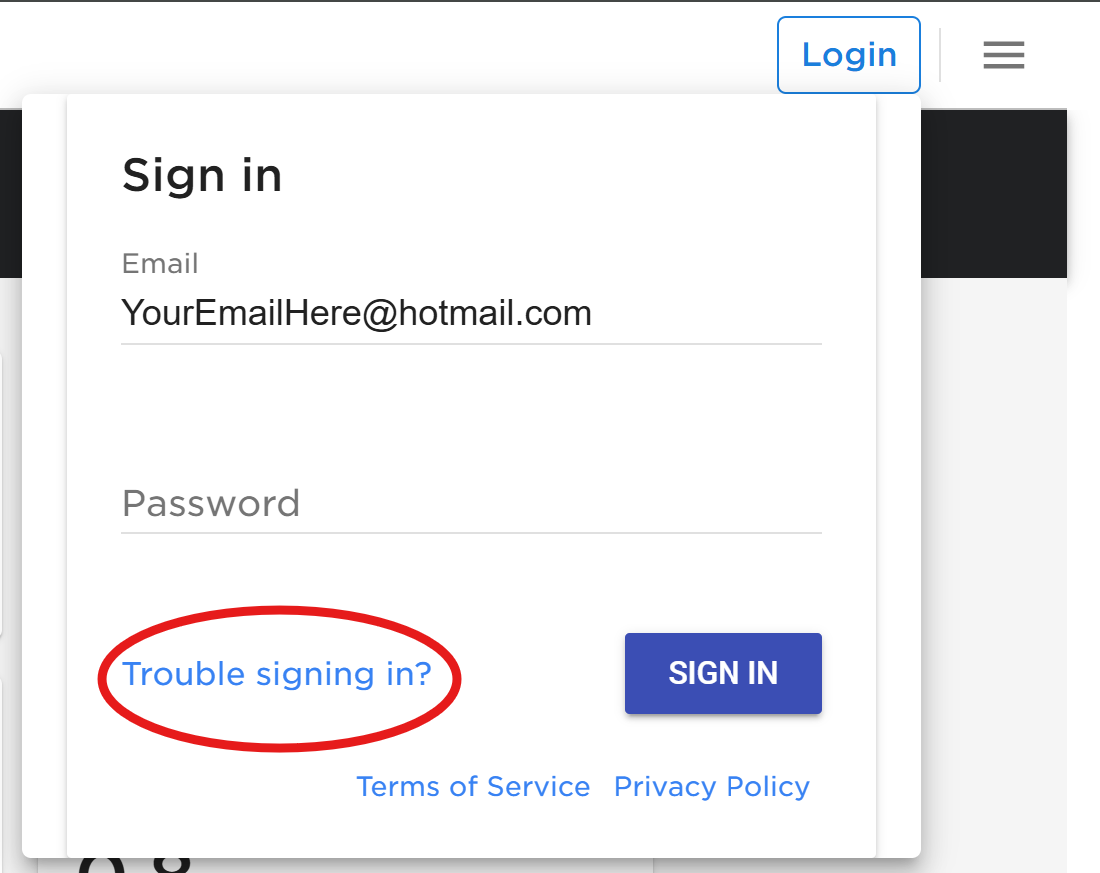
3. Click "Trouble Signing In"
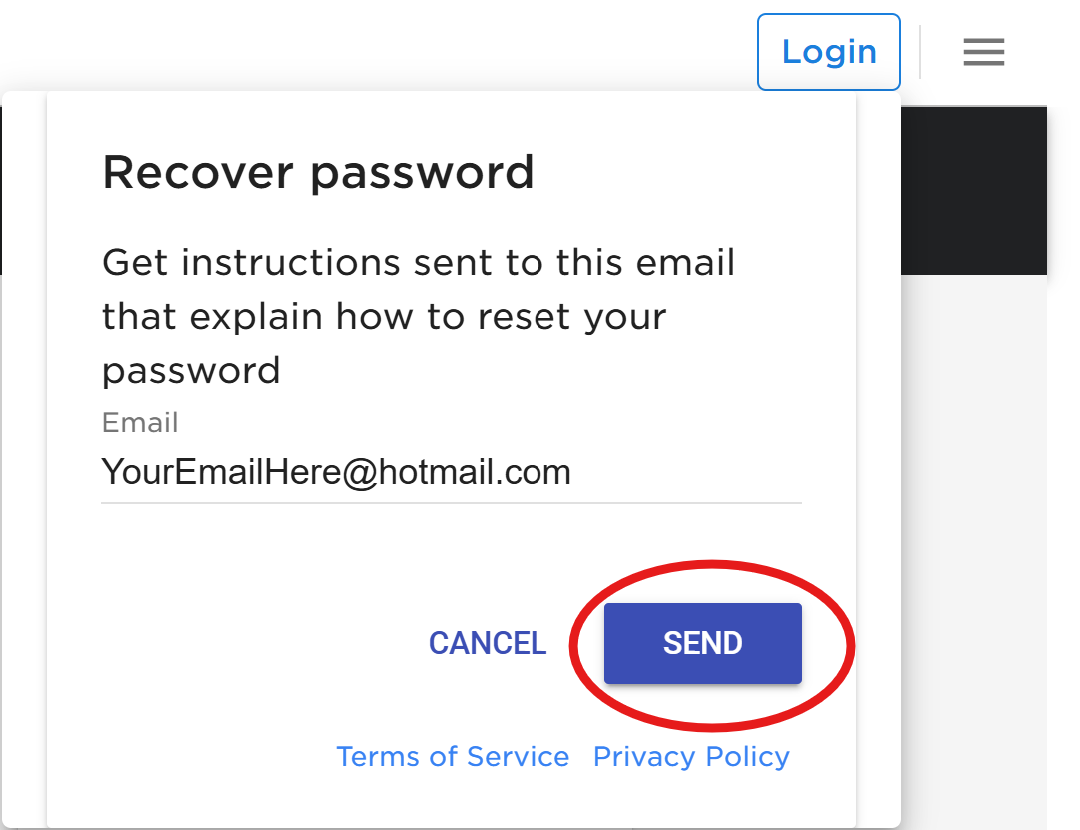
4. Click "Send" to send a recovery email to your email address.
Was this article helpful?
That’s Great!
Thank you for your feedback
Sorry! We couldn't be helpful
Thank you for your feedback
Feedback sent
We appreciate your effort and will try to fix the article