When playing back videos from our Automatic Video Capture, there are many ways to features used to help breakdown your form effieciently and effectively. This article describes the mobile app and web app playback interface.
Mobile App
To replay your captured videos on the mobile app, either select your most recent throw in the bottom left corner of the capture screen or go back and click the video on a throw that is connected with a video capture. The interface will look like the below screen:
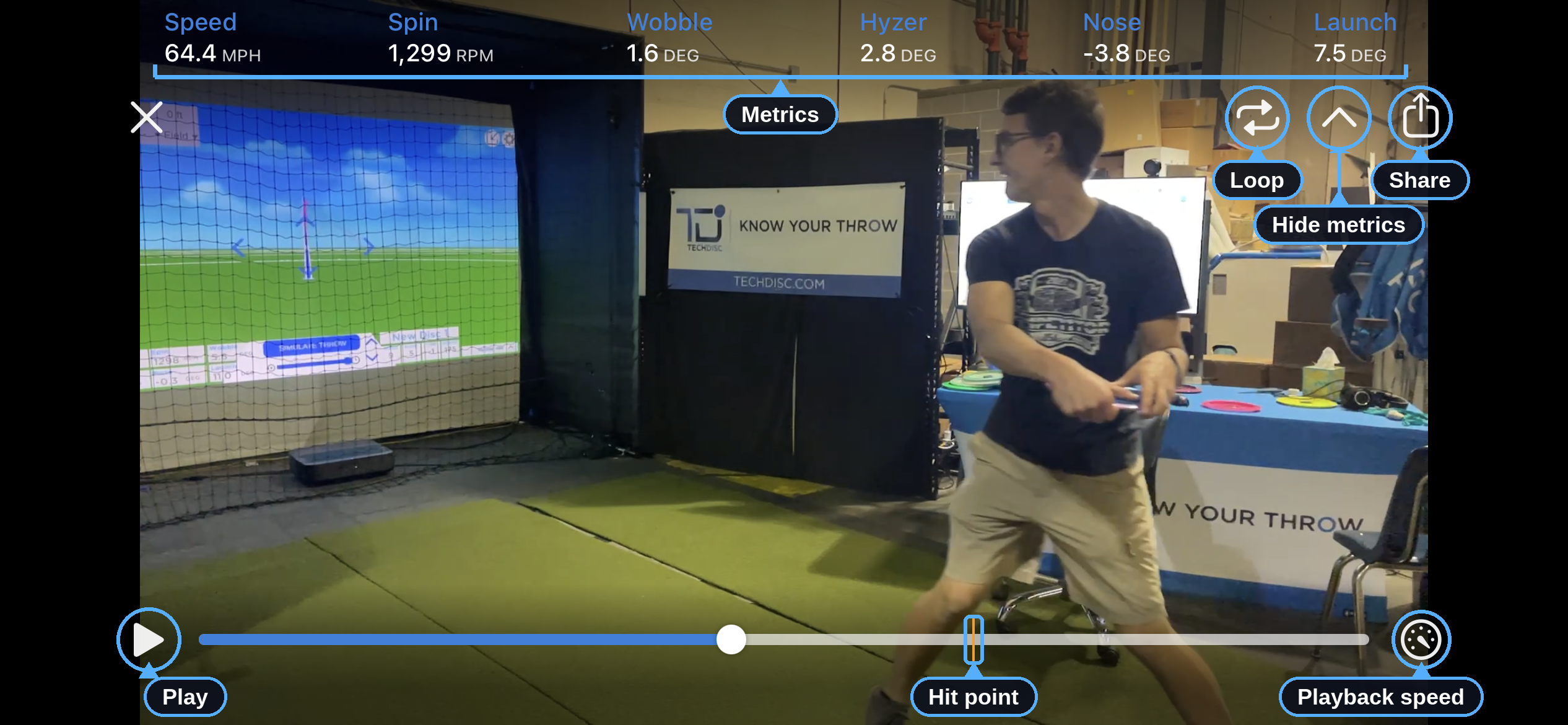
Pro Tip: When paused, tap the screen forward or backward to advance or rewind one single frame.
Web App Interface
To access playback on the web app, click the Video tab below the flight simulation to access the video player.
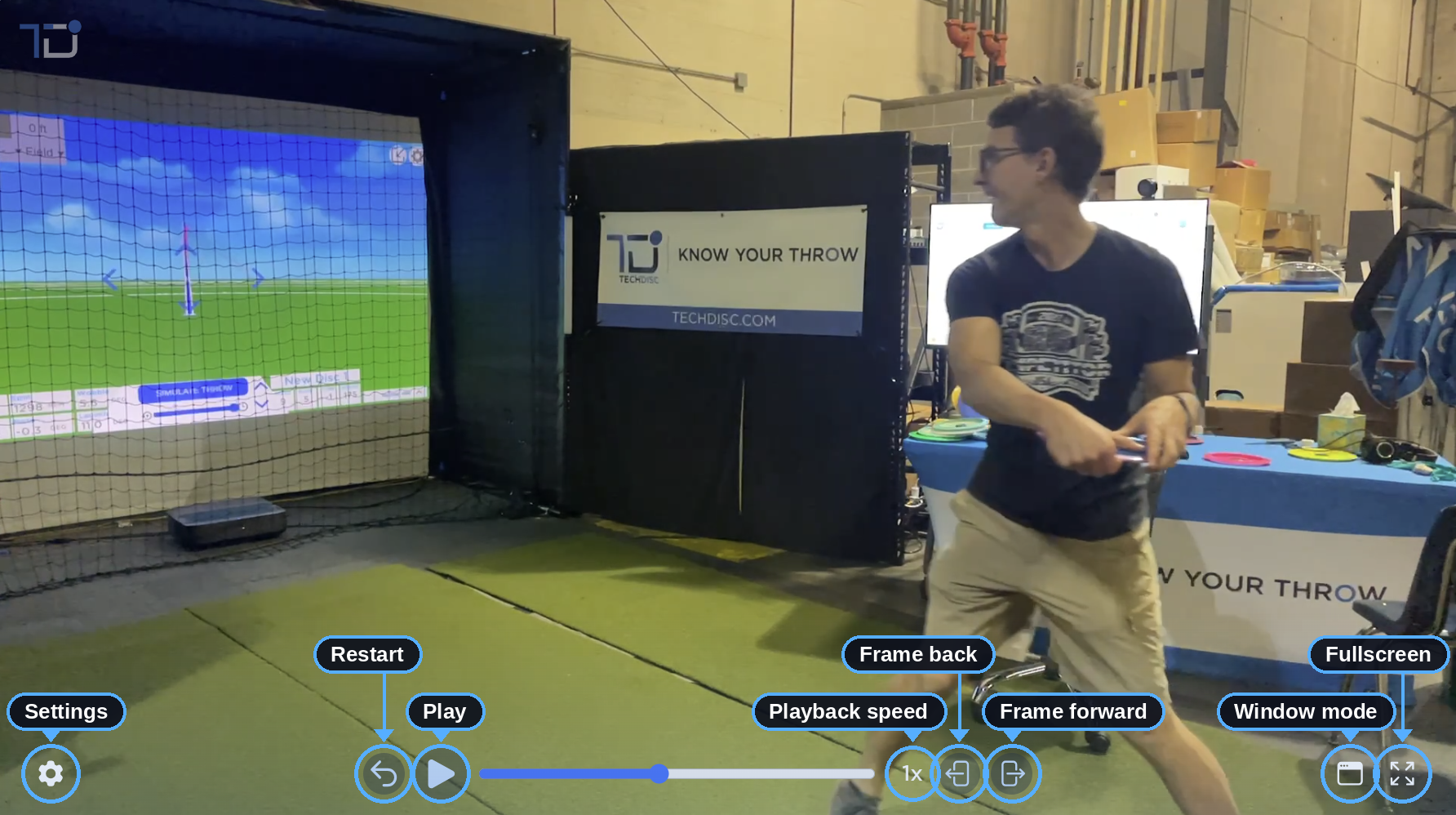
On the web app, access video playback there is also access to keyboard shortcuts. Click on the Settings button to access them.
Was this article helpful?
That’s Great!
Thank you for your feedback
Sorry! We couldn't be helpful
Thank you for your feedback
Feedback sent
We appreciate your effort and will try to fix the article